Creating the ultimate gaming room is about more than just a high-end PC or console—it’s about controlling your environment. Light intrusion can ruin immersion, cause eye strain, and disrupt your sleep after late-night sessions. The right blackout curtains can transform your gaming space into a distraction-free sanctuary. In this guide, we’ll explore the best blackout curtains for gaming rooms, covering key features, top recommendations, and installation tips to help you get the perfect setup.
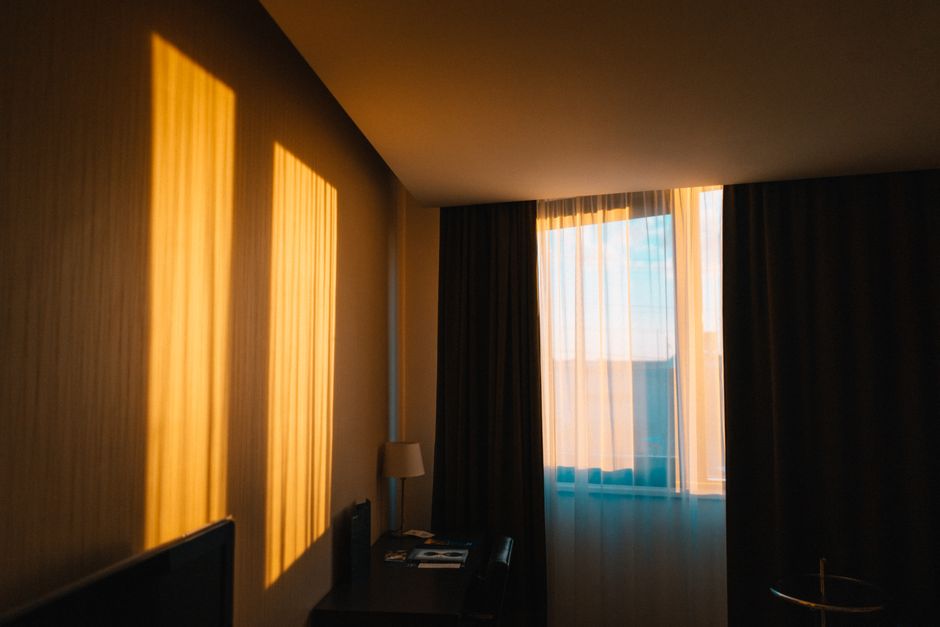
Why Blackout Curtains Matter for Gaming Rooms
Eliminate Glare and Reflections
Glare on your monitor is a common enemy for gamers. Sunlight or street lamps can wash out colors and make it hard to see dark areas in games. Blackout curtains block up to 99% of external light, eliminating reflections on your screen. This allows you to calibrate your monitor for true blacks and vibrant colors without interference.
Enhance Immersion and Visual Quality
A pitch-black room lets your eyes adjust naturally, making HDR content pop and reducing eye fatigue. You’ll notice details in shadows and highlights that would otherwise be lost. For horror games or atmospheric RPGs, complete darkness deepens immersion—you’ll feel like you’re truly inside the game world.
Improve Sleep Quality for Night Gamers
Many gamers play into the early hours. Blackout curtains can trick your brain into thinking it’s still night, helping you fall asleep faster after a session. They also block early morning sunlight, allowing you to sleep in without disturbance. Good sleep is crucial for reaction time and overall health.
___PROTECTED_1___
Key Features to Look for in Gaming Blackout Curtains
Light Blocking Efficiency
Look for curtains labeled “blackout” or “room darkening.” The best ones have a triple-woven construction or a special blackout lining. Check the opacity rating—aim for 90-99% light blockage. Some curtains also have a reflective backing that enhances heat insulation.
Fabric Options
- Velvet: Luxurious and dense, velvet curtains offer excellent light blocking and sound absorption. They’re ideal for a premium gaming setup but can attract dust.
- Polyester: Affordable, durable, and easy to clean. Many polyester blackout curtains have a built-in thermal layer.
- Acoustic Curtains: For soundproofing, choose heavy acoustic curtains that absorb echo and reduce noise from outside. They often combine blackout properties.
- Triple-weave: A modern fabric that blocks light without a separate lining, offering a neat appearance and good insulation.
Thermal Insulation
Gaming PCs generate heat. In summer, blackout curtains keep your room cooler by reflecting sunlight; in winter, they reduce heat loss through windows. This stabilizes room temperature and lowers energy bills. Look for curtains with a foam or cotton interlayer.
Noise Reduction
Thick, multi-layer curtains can dampen outside noise from traffic or neighbors. For the best effect, choose curtains with a weight of at least 300 GSM (grams per square meter) and hang them floor-to-ceiling to create a sound barrier.
| Feature | Importance for Gaming | What to Look For |
|---|---|---|
| Light Blocking | Critical – reduces glare | 99% opacity, triple-woven |
| Fabric | Comfort & aesthetics | Velvet or polyester with lining |
| Thermal Insulation | Keeps room cool/hot | Reflective backing or foam layer |
| Noise Reduction | Enhances focus | Heavy weight (300+ GSM) |
___PROTECTED_2___
Top Blackout Curtain Recommendations for Gamers
Here are five top-rated blackout curtains that excel in gaming environments:
- Nicetown Blackout Curtains: Affordable and available in many colors. They block 85-99% of light depending on color, and have a thermal lining. Good for budget builds.
- Deconovo Room Darkening Curtains: Made from soft polyester triple-weave. They block 90-95% light and come with a noise-reducing layer. Popular for both living rooms and gaming dens.
- Sun Zero Blackout Curtains: These claim 100% blackout with a patented technology. They also reduce noise by up to 40%. Ideal for serious gamers who want total darkness.
- Lush Decor Faux Silk Blackout Curtains: If you want a luxurious look without velvet heaviness, these faux silk panels block light effectively and add a high-end feel to your room.
- Velvet Blackout Curtains by H.VERSAILTEX: Heavy velvet fabric that blocks light and absorbs sound. Available in deep rich colors like navy and charcoal, perfect for a moody gaming atmosphere.
How to Choose the Right Size and Installation
Measuring Your Windows
Measure the width of your window frame and add 4-6 inches on each side for full coverage. For height, measure from the curtain rod to the floor. Ideally, curtains should just touch the floor for a dramatic look and maximum light blocking. Use a steel tape measure for accuracy.
Mounting Options
- Inside Mount: Curtain fits inside the window frame. This is cleaner but may leave small gaps at the edges where light can leak. Use a wrap-around rod to minimize gaps.
- Outside Mount: Curtain hangs on the wall above the window. This covers the entire window and blocks more light. It can also make the window appear larger. For blackout performance, outside mount is recommended.
Layering with Sheer Curtains
During the day, you might want some natural light. Pair your blackout curtains with sheer curtains. The sheer layer softens light while maintaining privacy, and the blackout layer can be drawn closed when gaming. Use a double curtain rod for easy operation.
DIY Tips for Maximizing Blackout Effect
- Seal light leaks: Use magnetic strips or velcro tape to attach curtains to the wall or window frame. This prevents light from sneaking around the edges.
- Choose darker colors: Darker fabrics like black, navy, or charcoal block more light than lighter shades. Even with blackout lining, color matters.
- Add a valance: A decorative valance at the top can hide curtain rod and block light from above.
- Use blackout liners: If you already have curtains, add separate blackout liners that clip onto the existing curtain. This is a cost-effective upgrade.
- Install blackout blinds beneath curtains: For ultimate darkness, combine blackout roller blinds with curtains. The double layer guarantees zero light leakage.
Caring for Your Blackout Curtains
Blackout curtains accumulate dust and can lose efficiency if not cleaned properly. Most polyester blackout curtains are machine washable on a gentle cycle with cold water. Avoid bleach, which can damage the lining. Velvet Curtains should be dry cleaned or vacuumed with a brush attachment. Hang curtains immediately after washing to prevent wrinkles. Re-hanging them while slightly damp will help them regain shape. For acoustic curtains, follow the manufacturer’s instructions—some may require professional cleaning.
Investing in the best blackout curtains for your gaming room is a game-changer. You’ll enjoy clearer visuals, deeper immersion, and better rest. Measure your windows, choose the right fabric, and install them properly for maximum effect. Whether you prefer the luxury of velvet or the practicality of triple-weave polyester, there’s a blackout solution for every gamer. Transform your space today and level up your gaming experience.